
Totbet Casino Registration
Totbet registration takes 2 to 3 minutes and creates your account on tot-bet.casino. We allow one account per person, with identity checks completed before any deposit. Players in the United Kingdom can prepare their contact details before starting. Follow our sign-up process, confirm access through your chosen contact method, then complete verification before moving on to funded play.
Before You Register at Totbet Casino
Before starting Totbet registration, prepare accurate personal details and a working email address or mobile number. Players in the United Kingdom must be at least 18. Use a device connected to the internet, with access to whichever inbox or phone receives our confirmation. Details must be genuine and match supporting documents. An existing profile means signing in rather than opening another.
Completing Totbet registration gives you access to our games, deposit and withdrawal facilities, and support. Funded play follows identity approval, not simply submission of our form. For players in the United Kingdom, choosing pounds sterling keeps the balance in GBP. Treat gambling as paid entertainment within a fixed budget. Decide beforehand what remains affordable after everyday commitments, and stop when that allowance runs out.
How to Register at Totbet Casino
Start Totbet registration with your contact details ready. Keep access to incoming messages throughout sign-up so confirmation can be completed without switching between someone else’s devices. Read each entry before submitting, especially contact information and permanent settings. Players in the United Kingdom should select their actual country rather than choosing another location to get past a field.
- Type tot-bet.casino directly into your browser’s address bar.
- Open registration.
- Enter your email or phone and create a password.
- Select GBP and your country. Currency cannot be changed later.
- Confirm your age and acceptance of our terms.
- Enter our confirmation code or follow our link, then sign in.
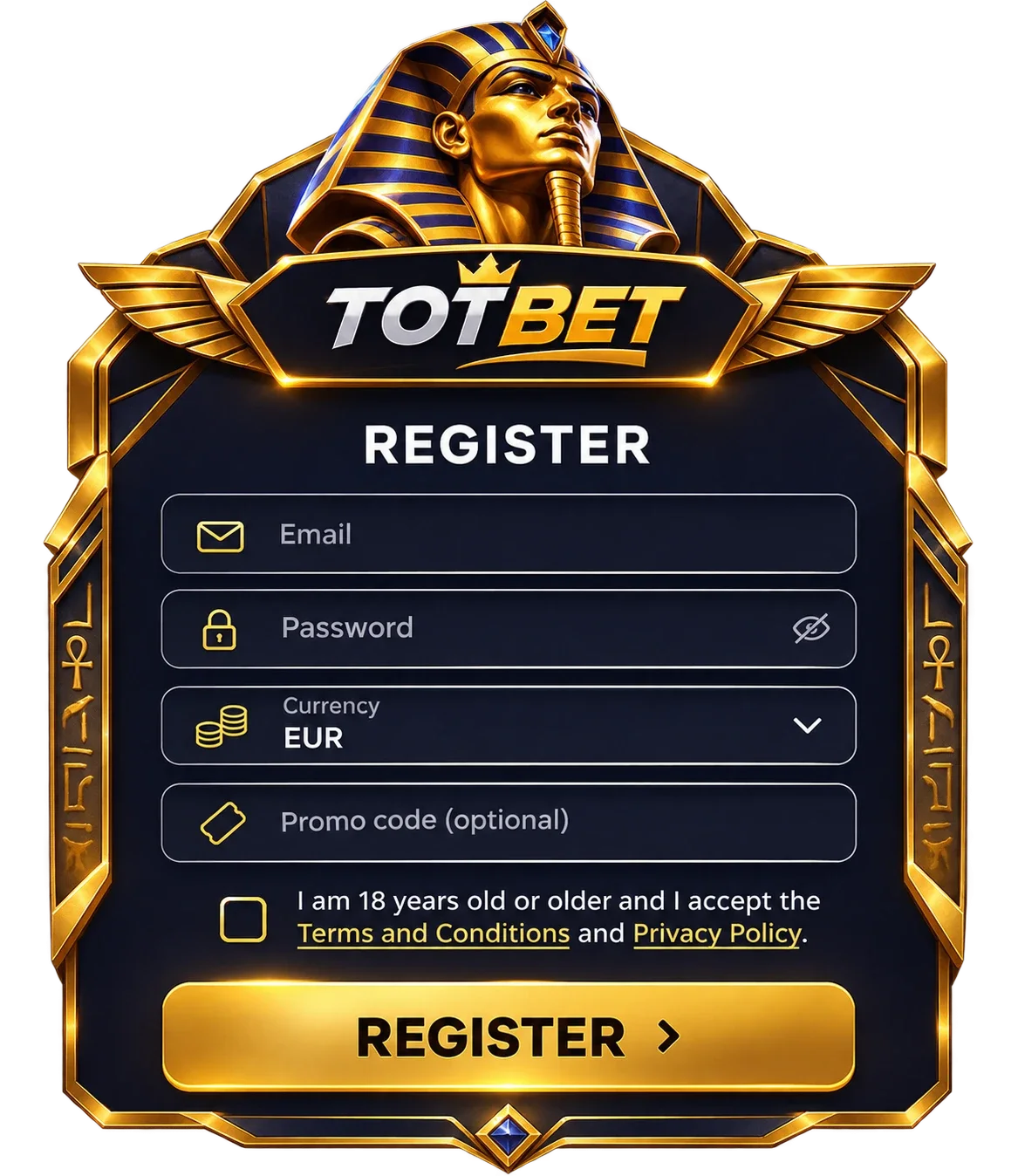
Check the address before entering personal information: fake copies exist. A familiar logo alone does not establish that an address belongs to us. Keep tot-bet.casino as your reference when returning. If something looks different, stop entering details until the address has been checked, rather than following another message or repeating submissions on an unfamiliar page.
Data You Provide
Our opening form collects contact information and basic settings. Later, identity checks request personal particulars that connect your profile with supporting evidence. Keeping those stages separate helps you prepare the right information without confusing initial sign-up with approval for deposits. For a United Kingdom mobile number, an international-format example is +44 7700 900123.
| Data | When We Ask | Requirement |
|---|---|---|
| Email or phone | Sign-up | 6-digit code; valid for 15 minutes |
| Password | Sign-up | At least 8 characters; 1 letter and 1 number |
| Currency | Sign-up | 1 currency per account |
| Country | Sign-up | 1 country per account |
| Name and date of birth | Verification | Adult; matching identity evidence |
| Address | Verification | Proof no older than 3 months |
Mismatched information prevents us from completing identity approval. Correct inaccurate entries through support rather than altering evidence or creating another profile. A mistyped name needs attention even when other particulars are right. Send clear, genuine records that represent the same person throughout, so our review can connect submitted information without conflicting names, dates or addresses.
Totbet Casino Account Verification
Totbet registration includes full age and identity verification before your first deposit. Opening a profile alone does not complete that requirement. We compare personal particulars against evidence to establish who holds access and whether they meet our age requirement. For players in the United Kingdom, preparing suitable records beforehand helps keep this stage straightforward.
Provide a valid, unexpired photo ID with readable text and a recognisable photograph. A United Kingdom passport or photocard driving licence supplies an appropriate document type. Photograph the complete document, including its edges, without glare, blur or anything covering essential details. Review each image before sending it; cropping away information makes comparison harder.
Identity checks attached to Totbet registration take from a few hours to 3 business days. Complete them before adding funds; that earlier requirement also precedes any first withdrawal. Keep submitted particulars consistent while we review them. Changing information to resemble a different identity does not resolve a mismatch. Answer requests accurately, using genuine evidence rather than edited images or borrowed records.
Steps After Registration
After Totbet registration, work through these steps before settling into play. Each stage serves a different purpose: checking personal information, understanding an offer, controlling spending and choosing entertainment. Players in the United Kingdom should keep those decisions separate rather than treating access as a reason to deposit immediately.
- Check your profile. Sign in and read saved personal details. Resolve errors before proceeding with identity approval.
- Read our welcome offer. Once you have completed all the steps, you can take our welcome bonus: Welcome Bonus up to 250% across three deposits + 300 Spins. Full conditions are in the bonus section of tot-bet.casino.
- Choose an affordable deposit. Add funds only after identity approval and within your planned budget. Do not use money reserved for essentials.
- Explore a few games. Read their rules before playing. Start with a small selection rather than moving rapidly between unfamiliar titles.
- Set personal boundaries. Choose time and money limits before starting a session. Read our responsible gaming page for further guidance.
Keep Totbet registration separate from expectations about winning. Gambling is entertainment, never income or a way to recover spending. Stop when planned time or money runs out, regardless of previous results. In the United Kingdom, GamCare provides gambling support when play becomes difficult to control or begins affecting everyday life.
Totbet Casino Account Security
Protect access after Totbet registration with careful everyday habits. Contact details, credentials and confirmation messages belong under your control. Someone offering help does not need access to private login information. Take particular care when another person uses the same device, or when an unexpected message directs you towards a sign-in page.
- Create a strong, unique password not used elsewhere.
- Never share confirmation codes with another person.
- Sign out after using shared devices.
- Type tot-bet.casino yourself rather than following unfamiliar links.
- Keep contact details current so messages reach you.
We never ask for your password by message. Treat any such request as a reason to stop communicating, not an instruction to prove ownership. Avoid forwarding private messages or leaving credentials visible on a shared screen. Keeping access private matters just as much after approval as during the first visit.
Troubleshooting Totbet Casino Registration
A problem during Totbet registration can begin with a typing error, an undelivered confirmation message or a password that fails our requirements. Wrong country or currency selections also need attention. Applicants below our minimum age cannot proceed, and an existing profile prevents a second sign-up. Read any displayed message before making another attempt. Repeating unchanged information does not correct its cause. Check which stage stopped, then compare entries against the requirements above without opening a replacement profile.
For help with Totbet registration, first review spelling and look for our message in your inbox, including junk folders. Confirm that the contact method entered belongs to you. If those checks do not resolve matters, write to support@tot-bet.casino with the stage reached, what appeared onscreen, and your device and browser. Describe the problem clearly without including credentials. Never send a password. Keep correspondence focused on the existing application so we can understand what happened without confusing separate attempts.
Last updated: